Employee Self-Service on WordPress
Let staff see their own profile and balance, request leave and follow its status, with the login they already have.
On this page
Every HR team knows the questions. How many days do I have left? Did my request go through? Can you update my phone number? Each one takes a minute. Together they take a day a week.
Self-service hands those answers back to the people asking. In FlyHR, it is built into the free plugin and runs on WordPress accounts your team may already have.
What Staff Can Do
With self-service, each employee can:
- See their own profile and job information
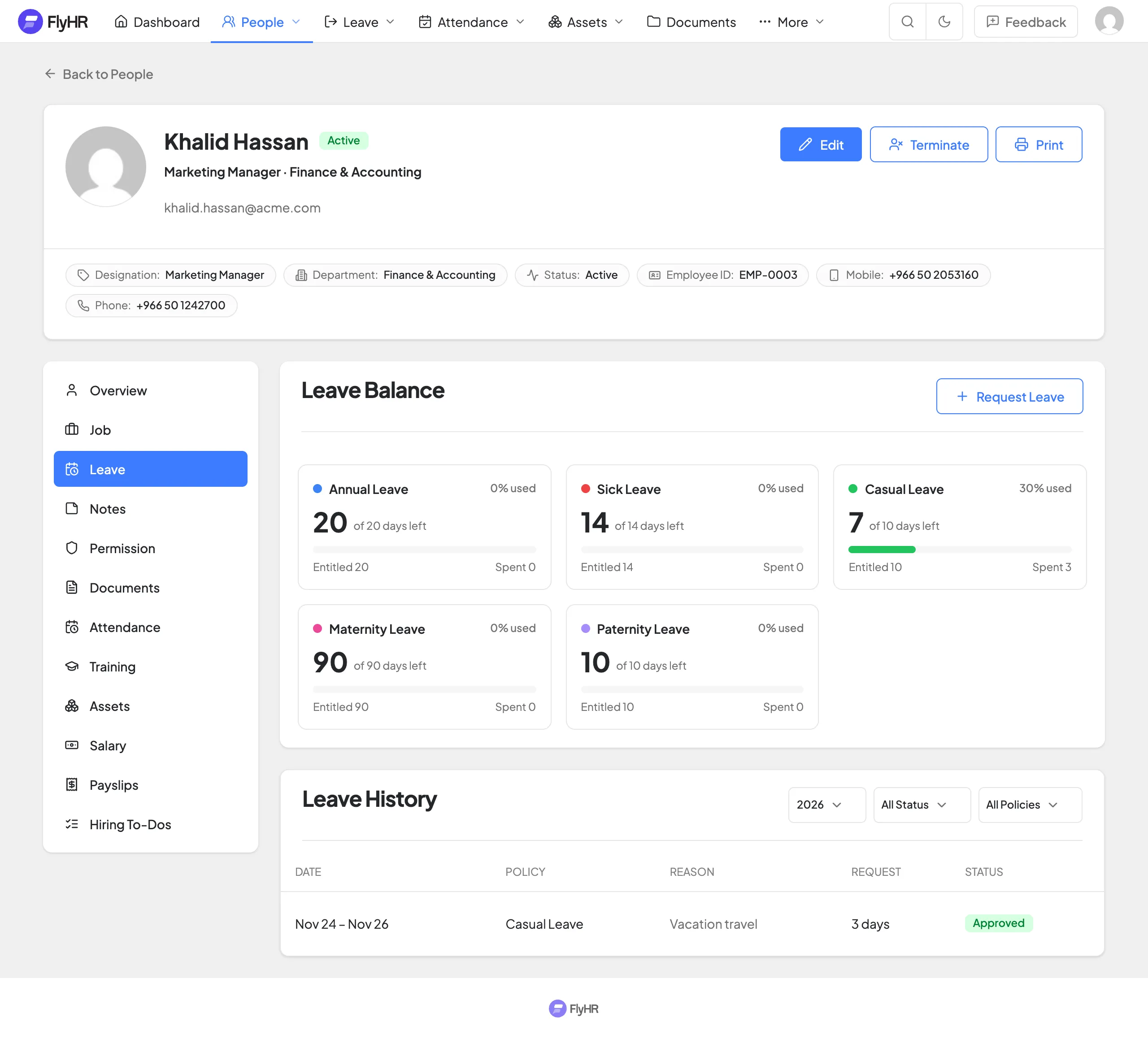
- Check their leave balance
- Request leave, with a reason or an attached file
- Follow the status of each request
- Read company announcements
What they can’t do matters too. Staff never see other people’s pay details, and HR notes stay private to HR.
No Second Login
Staff who need access use their WordPress account. If someone already has one, create their employee record from that user, and their profile is linked to the login they know.
That is one less password for staff to forget and one less system for you to manage. It also means your site’s existing security, such as strong passwords and two-factor plugins, covers HR as well.
Two Roles, Clear Lines
FlyHR keeps access simple.
| HR manager | Employee | |
|---|---|---|
| Profiles | Every profile | Their own |
| Pay details | Yes | Their own information only |
| Private HR notes | Yes | No |
| Leave requests | Approve or reject | Request and follow |
WordPress administrators are HR managers automatically. Everyone else sees only what is theirs.
Rolling It Out
Self-service works best when people know it exists. A short rollout helps.
- Check the records. Make sure each person’s profile and leave policy is correct before they log in. First impressions count.
- Send an announcement. Use FlyHR announcements to tell everyone how to sign in and what they can do.
- Show one request. Walk through a leave request in a team meeting. It takes two minutes.
- Point questions back. When someone asks for their balance, reply with where to find it. After a few weeks, the questions slow down.
The goal isn’t to stop people asking HR. It is to save HR for the questions that need a person.
Self-Service for Remote Teams
For distributed teams, self-service isn’t a nice extra. It is the only way some people will check their balance at a sensible hour. A request made at 9pm in one time zone is waiting for the approver at 9am in another.
Pair it with the leave calendar so everyone can see who is away, wherever they are.
Going Further
Two Pro options take self-service further:
- HR Frontend adds an employee self-service dashboard on the public side of your site, so staff don’t need to visit the WordPress admin.
- The FlyHR mobile app puts balances, leave requests and the team directory on phones, under your own brand. Employees can also update their contact and personal info without HR help.
See the FlyHR mobile app page for the details.
In Short
Self-service saves time on both sides. Staff get answers straight away. HR gets fewer interruptions and requests that arrive complete. And because it runs on WordPress, there is nothing new to install for your team.
For the approval side of the same flow, read Leave Approvals That Don’t Stall. For the full list of free tools, see the features page.
Category
HR TipsWritten by
Maya Chen
Customer Success
Maya helps teams set up FlyHR on their WordPress sites. Her posts answer the questions she hears most often.