The FlyHR Mobile App

Your HR In Every Employee's Pocket

The FlyHR mobile app for Android and iOS, published under your own brand.

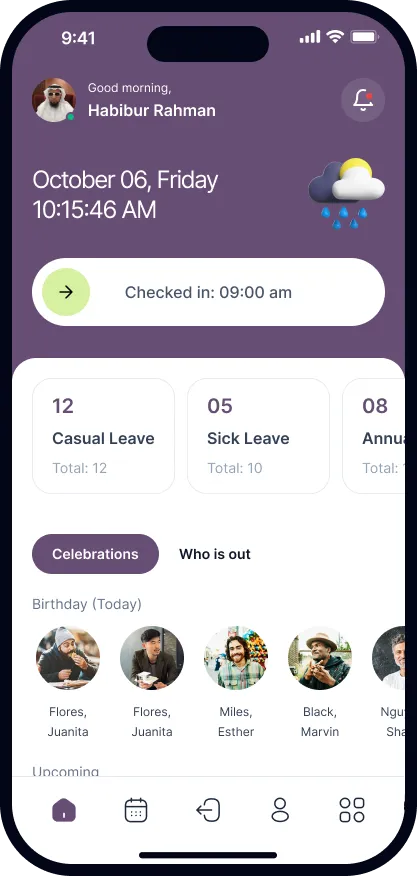
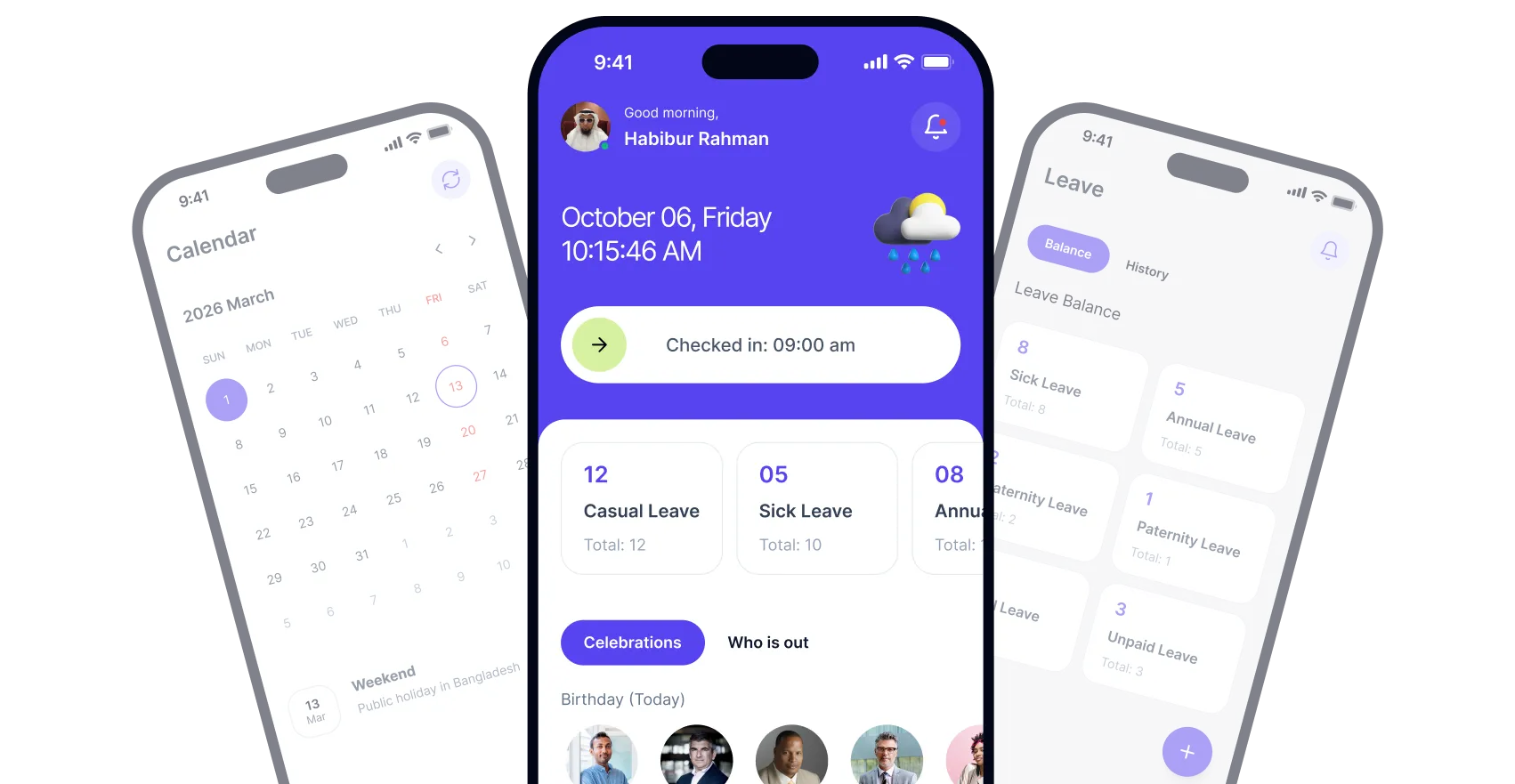
The FlyHR mobile app: calendar, home screen with check-in, and leave balances

I use WPERP and WP Project Manager for myself and my clients. The plugins and add-ons are very well thought out and very impressive, especially for a relatively young product.

FlyHR

5,000+ active installs worldwide

employees, no per-employee fees
Unlimited
Starter plan, priced by site
$99/yr
permissions across 2 roles
15
guided setup steps
7

Everything HR needs
built for mobile

The FlyHR mobile app brings attendance, leave and your team directory to every employee's phone. Your employees use it, your data stays on your own WordPress installation.

Slide to Check In

Attendance from the phone. Employees slide to check in and check out, with no manual entry and no spreadsheets.

Leave on the Go

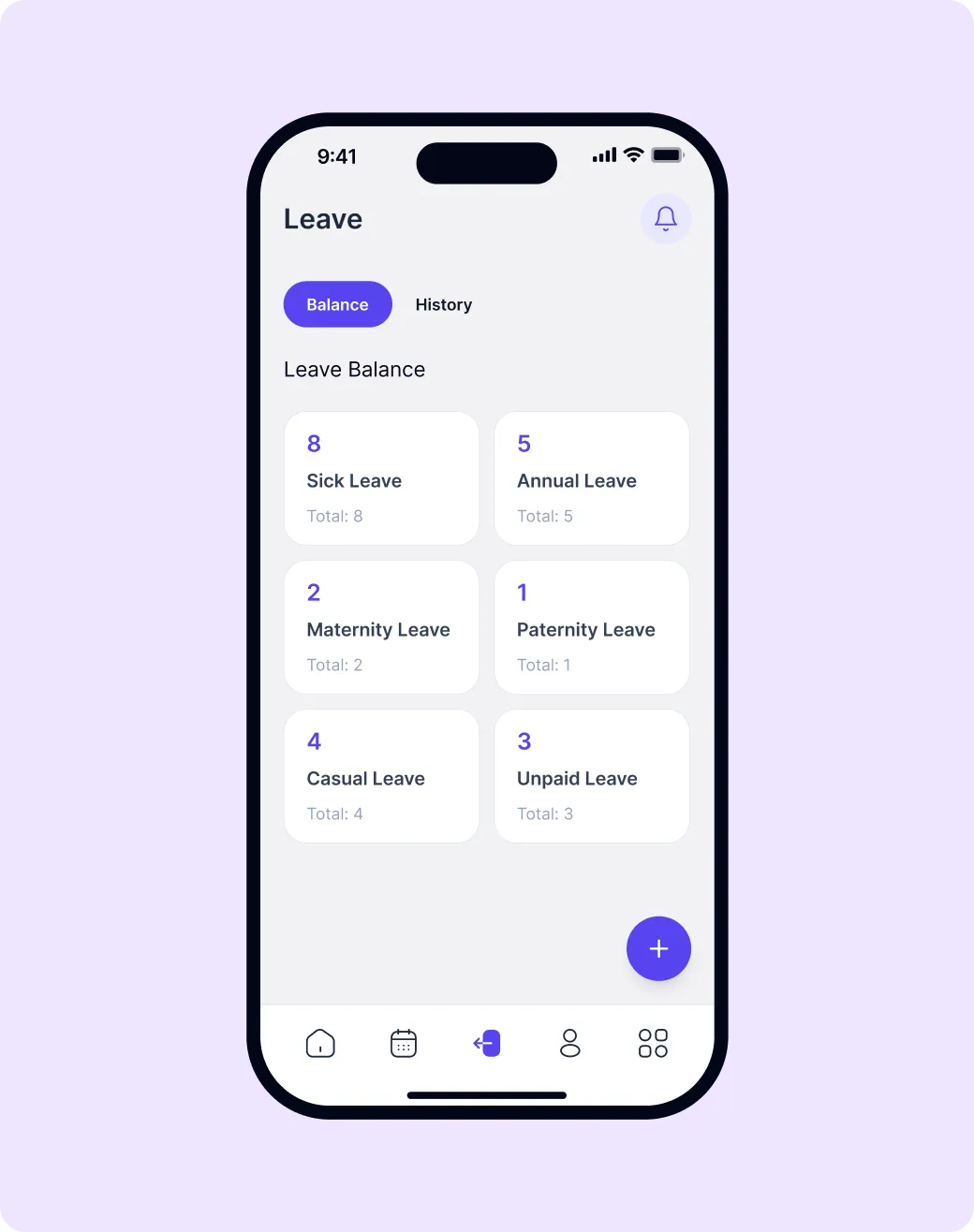
Check balances and request leave anywhere. Track each request's status right from the app while department leads or HR decide.

Employee profiles

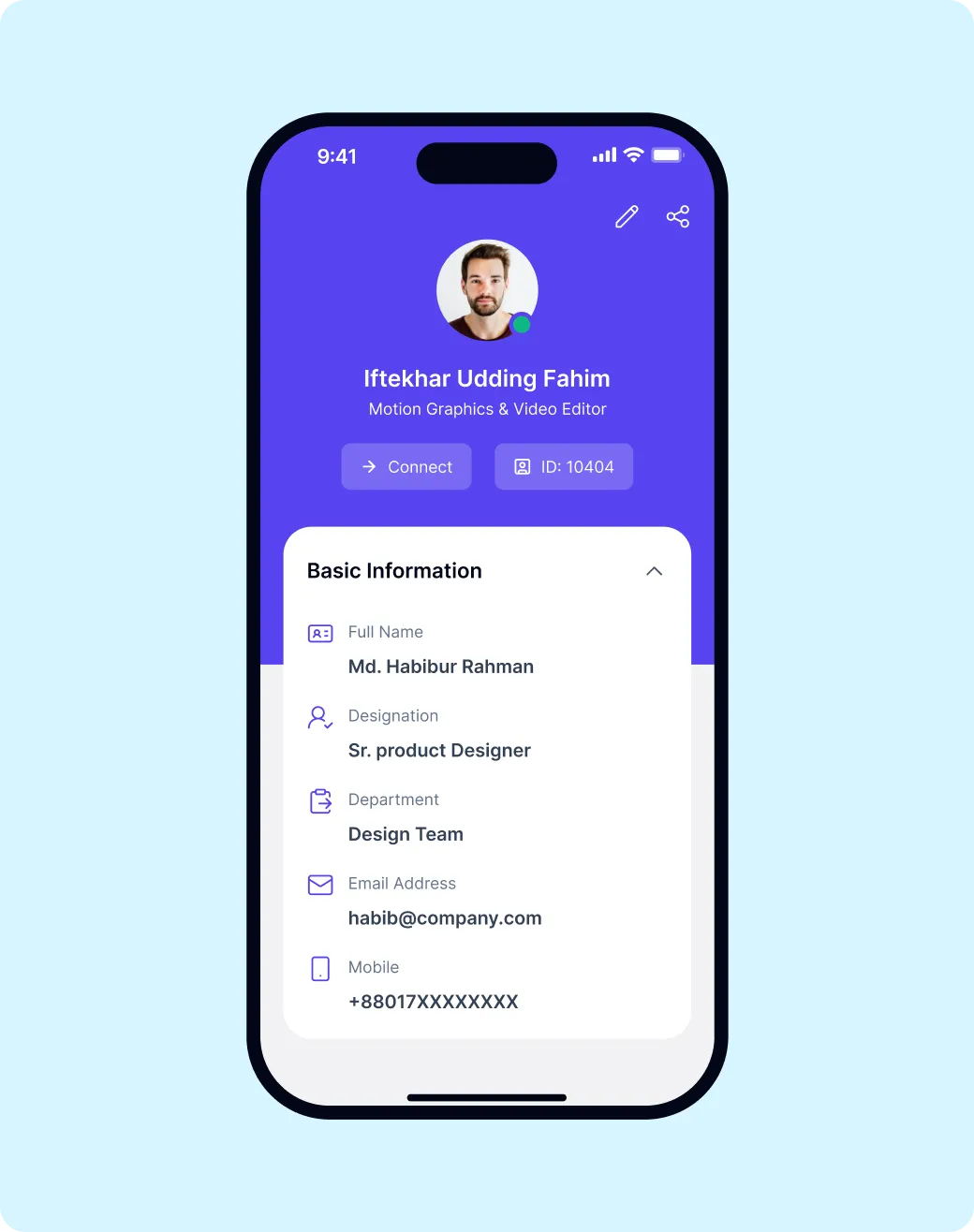
Full profiles: personal info, designation, department and contact details. Employees view and edit their own record.

Who's Out Today

Leave, birthdays and anniversaries at a glance, right on the home screen.

Synced with FlyHR

Every action in the app shows up in your FlyHR dashboard. One source of truth across desktop and mobile.

Team Directory

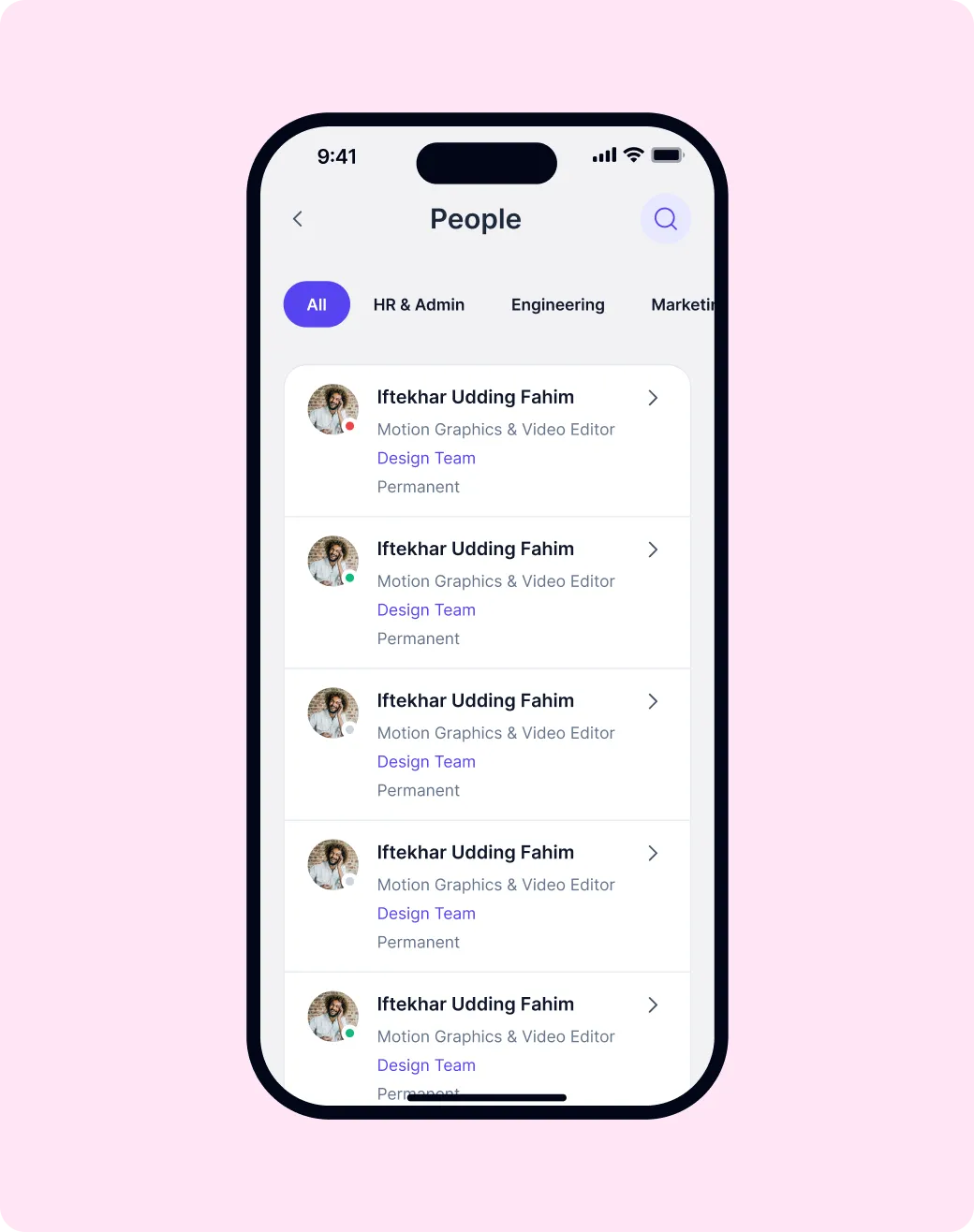
Call, message or email anyone in one tap. Browse your whole team by department and pull up any profile.

Android and iOS

One app for both platforms, published under your own brand.

Two roles. 15 permissions.

Everyone sees only what they should. Department leads approve leave for their own team.

Holidays and workdays

Holidays and non-working days are skipped when leave is counted.

Explore The Mobile App

Smart Attendance
Attendance from the phone.

No more manual logs or hardware scanners. Everything happens right on their phone.

  • Slide to Check In

    Attendance from the phone.

  • Synced to your dashboard

    Attendance logs show up in your FlyHR dashboard.

  • Export to CSV

    Attendance reports export to CSV.
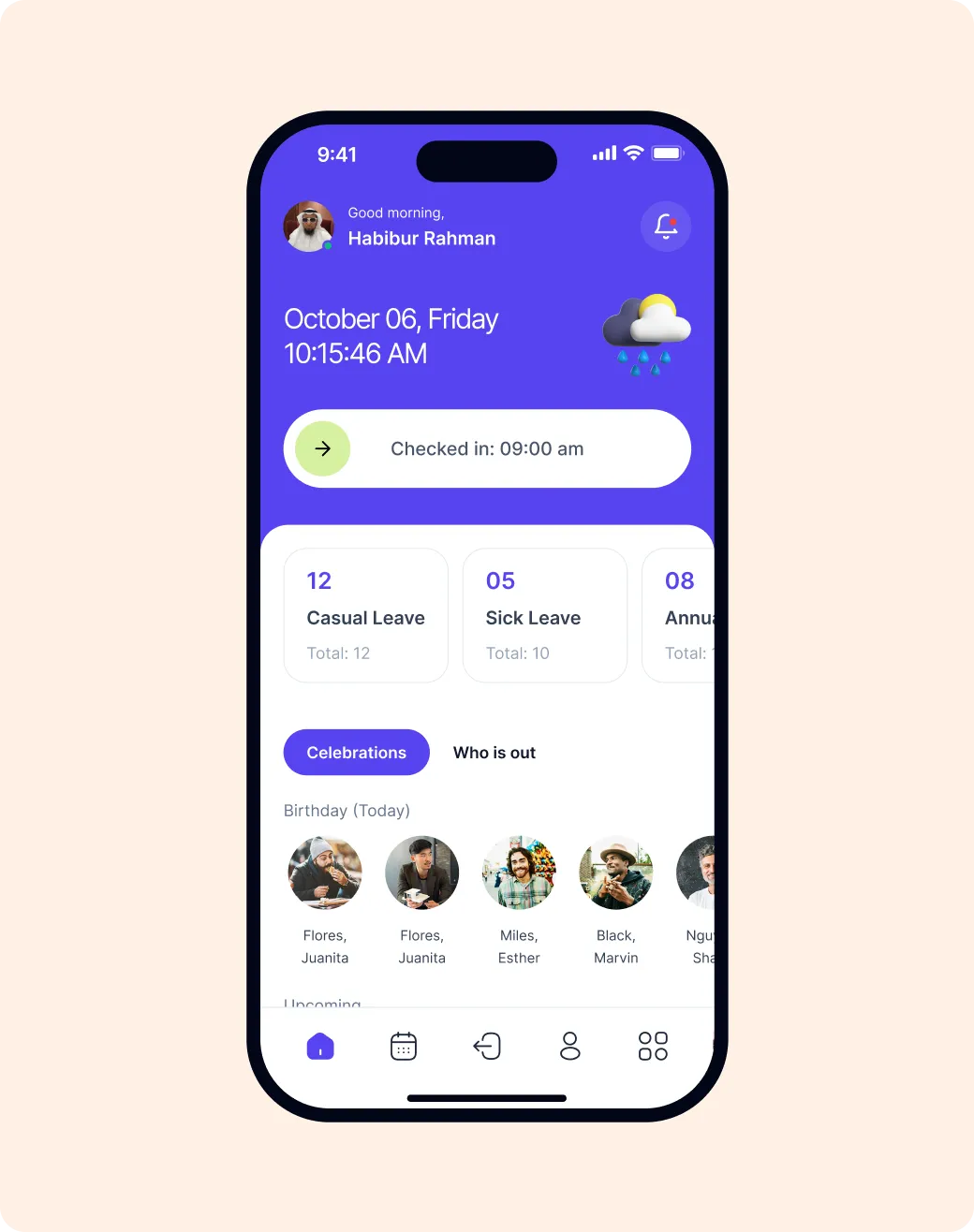
FlyHR app home screen with the check-in slider, leave balances and today's birthdays

Leave management
Check balances and request leave anywhere.

Employees submit requests, check balances for every leave type and track approval status right from the app. A department lead decides for their own team, and an HR manager can decide on any request.

  • Multiple leave types

    Annual, Sick, Casual, Maternity, Paternity and Bereavement. You can add your own.

  • Leave on the Go

    Balances and requests anywhere.

  • Full leave history

    Balance updated, with history.

FlyHR app leave balance for sick, annual, maternity, paternity, casual and unpaid leave

Employee Directory
Your whole team, one tap away.

Find any teammate fast. Browse by department and reach contact details on the go.

  • Searchable directory

    Find team members by name or department.

  • Team Directory

    Reach anyone in one tap.

  • Who's Out Today

    Leave and celebrations at a glance.

FlyHR app people directory with department filters

Employee profiles
Personal data, managed by employees.

Let your workforce manage their own information. Employees view and edit their own record.

  • Self-service updates

    Employees update their contact and personal info without HR help.

  • Your data stays on your server

    Staff data lives in your own WordPress database.

  • Privacy first

    HR notes stay private to HR.

FlyHR app profile screen with name, designation, department, email and mobile
The FlyHR mobile app home screen in a custom brand colour

Your brand. Your app stores. Your employees.

The app goes live under your company name, with your logo and brand colors, on both the Play Store and App Store. Your team downloads your app, not ours.

  • Custom branding throughout

    Your logo, brand colors and app name across every screen.

  • Android and iOS

    The FlyHR mobile app for Android and iOS, published under your own brand.

  • Unlimited employees

    Unlimited employees. No per-employee fees.

The FlyHR Mobile App

Unified HR universe

All your people tools in one place. Android and iOS, under your own brand.

  • Download on the App Store
  • Get it on Google Play
  • FlyHR app home screen with check-in, leave balances and celebrations
  • FlyHR app leave balance for each leave type
  • FlyHR app people directory filtered by department
  • FlyHR app profile with basic information

How It Works

Setting up FlyHR is a breeze. Follow these three steps to bring your HR management to mobile.

  1. Download App

    Get your app from the Play Store or App Store. FlyHR never charges per employee.

  2. Connect FlyHR

    Link the app to your FlyHR site on WordPress. Data syncs automatically.

  3. Start Managing

    Employees can now check in, request leave and browse the directory, all from their phones.

Trusted By WordPress Teams Worldwide

Support for this plugin is the best support experience I have experienced till date. Team solves your problems as if they are their own problems, and that’s what makes you love this plugin.
Shubham RajdharOwner – TasteOfAndroid
I have been looking for an ERP/CRM to manage invoices and customers for sometime now. Having used a variety I have settled on this plugin and I am very happy with it. It works very well with the ability to not use modules you don’t want.
Richard BrownCommunity Organiser
I use WPERP and WP Project Manager for myself and my clients. The plugins and add-ons are very well thought out and very impressive, especially for a relatively young product.
Jason BarbourOwner – USACarshopper & Advertise It, LLC
This is really awesome. many small businessmen are suffering from this service in different platform and the WP lovers are always looking this kind of feature on their own website. Finally, they got it. To me, it will work like SAAS as too..
Fazle RabbiE-entrepreneur

Have questions? We have answers

Can't find your answer? Ask us.

Contact

Can employees check in from their phone?

Yes, with the FlyHR mobile app's Slide to Check In.

Which plan includes the mobile app?

The app is free with the Agency plan for every employee, on Android and iOS. Custom-branded builds are sold separately.

Which features need Pro?

Only the Pro modules, such as attendance, payroll and recruitment, and the mobile app. Everything else on this page is in the free plugin.

Is there a limit on employees?

No. Add as many as you need. FlyHR never charges per employee.

Can I start free and upgrade later?

Yes. Move to a Pro plan whenever you need it.

Is attendance in the free plugin?

No. Attendance is part of FlyHR Pro.

Are you ready to empower your team?

Give every employee HR on their phone. Download the free app, or order one under your own brand.